Opinion
The MX Master 3S is still the safer productivity mouse
Logitech’s MX Master 3S is no longer the newest MX mouse, but it may still be the smarter buy for most productivity desks.
The Logitech MX Master 3S is not the newest MX mouse anymore, and that is exactly why it still matters. If you want the proven productivity shape without paying extra for a shortcut layer you may never configure, this is the MX Master to keep on the shortlist.
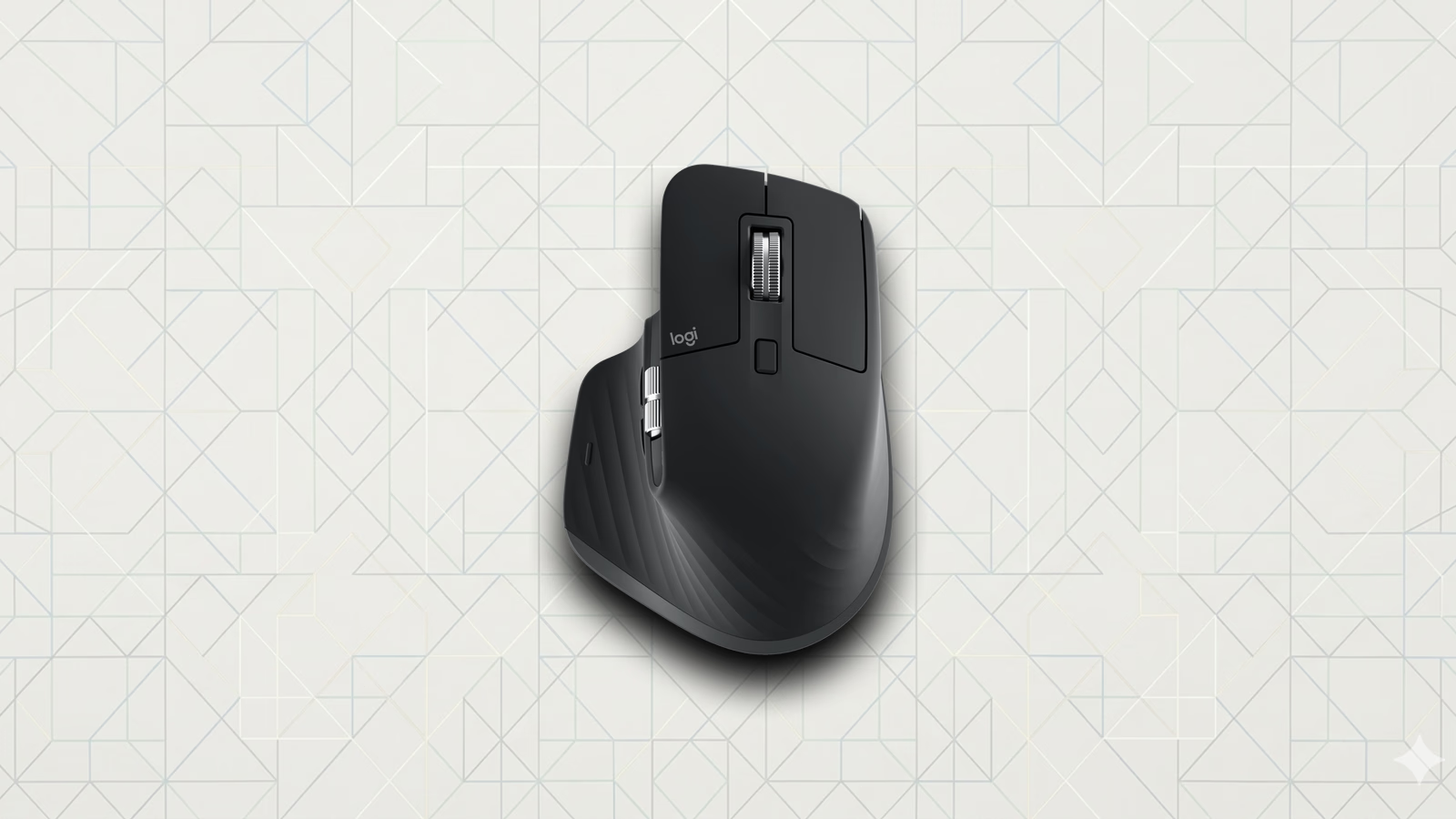
The Logitech MX Master 3S is a right-handed productivity mouse built around the things that made the MX line the default recommendation for so many work desks: a sculpted shape, quiet clicks, MagSpeed scrolling, thumb controls, cross-device pairing, and an 8,000 DPI Darkfield sensor. It is not trying to be a gaming mouse. It is trying to make long days in documents, code, spreadsheets, browsers, timelines, and research tabs feel less clumsy.
We have not tested the Logitech MX Master 3S yet, so this is not a review and it is not Loft Approved. The useful question is narrower: now that the Logitech MX Master 4 exists, is the older MX Master 3S still the better buy for most people?
Why this product is still relevant
The Logitech MX Master 3S is relevant because it sits in a rare spot: mature enough to be well understood, current enough to still fit a modern desk, and often cheaper than the newest MX Master model. Logitech lists the mouse around the same premium office-mouse tier it has lived in for years, and discounts can make it much more interesting than a new-launch flagship.
The main reason to care is not novelty. It is confidence. The MX Master 3S already has the core pieces most desk workers want: quiet primary clicks, a fast electromagnetic scroll wheel, a second thumb wheel for horizontal movement, app-specific controls through Logi Options+, Bluetooth or Logi Bolt connectivity, and a battery Logitech rates for up to 70 days.
That makes the decision cleaner than the usual “old model versus new model” story. If you want the newest shortcut idea, read our Logitech MX Master 4 coverage. If you want the safer productivity mouse and do not need haptics or Actions Ring, the Logitech MX Master 3S still makes a lot of sense.
What actually matters
The headline feature is not the 8,000 DPI number. Higher sensor resolution helps if you use high-resolution displays or prefer a sensitive pointer, but the MX Master 3S is still a desk-work mouse first. The more important parts are the shape, scroll wheel, quiet clicks, and software customization.
The shape is the dealmaker or the dealbreaker. It is large, right-handed, and built around a relaxed palm grip with a thumb rest. That can feel excellent for controlled work, but it is not neutral. Left-handed users should skip it. People who prefer small, light, fingertip mice should probably skip it too.
The scroll setup is why this mouse keeps showing up on serious desks. MagSpeed scrolling is useful for long pages, spreadsheets, timelines, and code files, while the thumb wheel gives horizontal movement a dedicated control. That combination is more practical than another spec bump.
The software is the other half of the product. Logi Options+ lets you remap buttons and build app-specific behavior, but the mouse only reaches its best version if you configure it. If you never touch the software, the MX Master 3S is still comfortable. If you tune it, it becomes much more useful.
MX Master 3S vs MX Master 4
| Feature | MX Master 3S | MX Master 4 |
|---|---|---|
| Main reason to buy | Proven MX shape, quiet clicks, MagSpeed scrolling, and frequent discounts | Actions Ring shortcuts and haptic feedback for app-specific control |
| Sensor | 8,000 DPI Darkfield | 8,000 DPI Darkfield |
| Controls | MagSpeed scrolling, thumb controls, gestures, and app profiles | MagSpeed scrolling, thumb controls, Actions Ring, haptics, and app profiles |
| Software dependency | Useful without deep tuning, better with Logi Options+ | Works best after configuring Actions Ring in Logi Options+ |
| Best fit | People who want the safer productivity mouse, especially at a discount | People who will build shortcuts for Photoshop, Excel, Figma, Premiere Pro, or VS Code |
| Skip if | You want Actions Ring, haptics, a lighter mouse, left-handed use, or low-latency gaming | You will not configure the new shortcut layer enough to justify the newer model |
Where it fits best
The Logitech MX Master 3S fits best on a desk where the mouse is a work tool, not a gaming peripheral. It makes the most sense for writing, coding, research, spreadsheet work, design apps, video timelines, browser-heavy admin work, and anything that benefits from fast vertical and horizontal scrolling.
A mouse earns its place on that kind of desk when it solves three everyday problems:
- It keeps your hand supported through long sessions
- It scrolls through large pages and workspaces without friction
- It gives repeated commands a home on the mouse instead of forcing constant menu trips
The MX Master 3S is credible on all three. The catch is that it is not magic out of the box. The default controls are useful, but the mouse becomes much more personal after you map buttons and gestures around the apps you actually use.
Who should buy it
Buy the Logitech MX Master 3S if you want the familiar MX Master shape, a quiet click, a serious scroll wheel, cross-device support, and a lower price than the newest model. It is especially compelling if you can find it meaningfully below the MX Master 4 price.
Choose the Logitech MX Master 4 instead if Actions Ring sounds like something you will actually configure. That is the main reason to move up. If the new shortcut layer becomes part of your daily rhythm, the newer mouse could be worth the extra money.
Skip the MX Master 3S if you are left-handed, prefer lightweight mice, play competitive games, or hate vendor software. The 125Hz-class office-mouse feel reported in outside testing is fine for normal desktop work, but this is not the mouse for twitchy gaming or ultra-light movement.
What we would check before buying
The first check is price. If the Logitech MX Master 3S is close to the MX Master 4, the newer mouse becomes harder to ignore. If the 3S is discounted, the older model becomes the cleaner recommendation for many desks.
The second check is size and hand fit. The MX Master shape has a lot of fans, but it is still a large right-handed mouse. If your hand does not like that shape, the specs do not matter.
The third check is your patience for Logi Options+. If you are willing to remap buttons and build app profiles, the MX Master 3S can feel tailored to your desk. If you want a mouse that stays completely generic, you are paying for controls you may never use.
Sources
The Logitech MX Master 3S is the sensible MX Master pick when you want the proven shape, scroll wheel, quiet clicks, and a better price. If you will use Actions Ring and haptics, step up to the Logitech MX Master 4. If you will not, the discounted Logitech MX Master 3S is still the cleaner desk buy.
Featured in this article
Products
Logitech MX Master 3S
Amazon
Logitech MX Master 4
Amazon