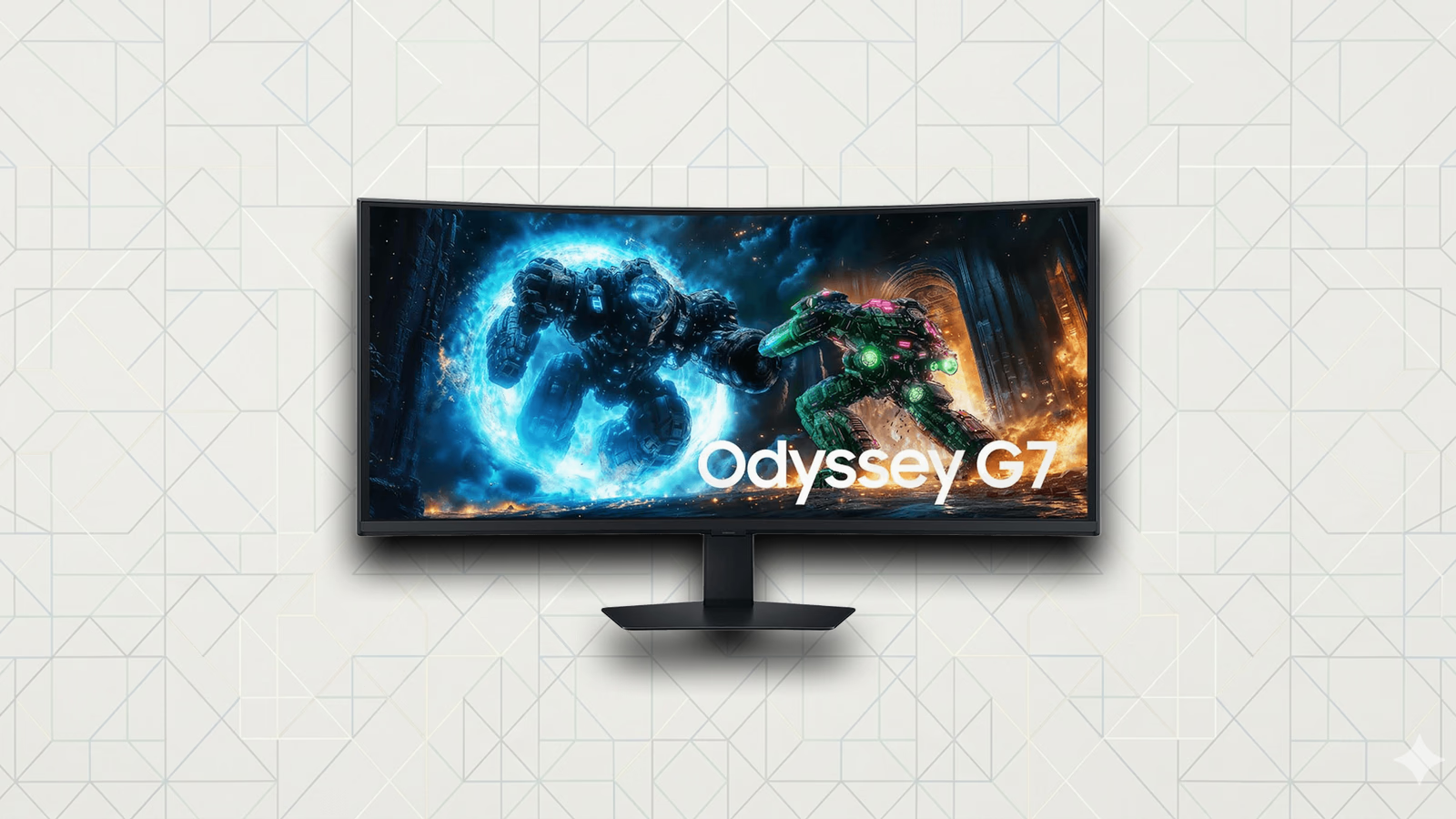
Review
The Samsung Odyssey G7 G75F is one of the best values to get into 5K2K
We've used Samsung's 40-inch Odyssey G7 G75F daily. It's the cheapest path to a 180Hz 5K2K ultrawide, and the tradeoffs are honest ones.
Buy the Samsung Odyssey G7 G75F if you want a big, fast, immersive 5120x2160 ultrawide and you do not want to pay OLED money for it. At its street price it is the only sane way into 180Hz 5K2K, and the compromises (an HDR mode that is HDR in name more than effect, and VA viewing angles on a panel this wide) are ones we can live with. If you want perfect blacks or a no-compromise all-day code display, look elsewhere.
The Samsung Odyssey G7 G75F (model LS40FG75DENXZA) is a 40-inch, 1000R curved ultrawide running 5120x2160 at 180Hz on a VA panel. That resolution is what LG popularized as “5K2K”; Samsung calls it WUHD. Either way it is a 21:9 sheet of screen at about 139 pixels per inch, which is the spec that made us want it. It is a gaming-first monitor, but it has lived on a working desk in daily use for both code and play, and that is the lens here.
One quick note before anything else, because the model numbers are a trap: there is also a 37-inch 16:9 4K monitor wearing the “G75F” name. This review is the 40-inch 21:9 ultrawide, the LS40FG75DENXZA. If a spec sheet says 3840x2160 or 119 PPI, it is the other monitor.
In This Article
- The short version
- What it gets right
- What it gets wrong
- How it compares
- Who should buy it
- Who should skip it
- What we’d check before buying
- The verdict
The short version
- Buy it for: a huge 21:9 5K2K canvas at 180Hz, for half what the OLED ultrawides cost.
- The real catch: the DisplayHDR 600 badge rides on an 8-zone edge-lit backlight, so treat it as a bright SDR monitor, not a real HDR one.
- Skip it if: you want OLED blacks, competitive dark-scene response, or razor-sharp text for a pure coding setup.
If you have wanted a 5120x2160 ultrawide and balked at the price, this is the one that makes the math work. Everything else at this exact resolution costs close to double. You give up a few things to hit that price, and the rest of this is about whether you will care.
What it gets right
The screen real estate is the whole point, and it delivers. 5120x2160 on 40 inches is a genuine two-and-a-half-window workspace: an editor, a browser, and a terminal side by side without anything feeling cramped. The 1000R curve sounds like a gaming gimmick on paper, and at this width it is actually doing work. The far edges of a 40-inch flat panel sit at an awkward angle from a normal seating distance; the curve pulls them back toward you so the corners stay readable.
It is sharp enough. At roughly 139 PPI it lands in the same density neighborhood as a 27-inch 1440p display. That is not Retina-class, and we will not pretend it is, but it is comfortably past the point where you are looking at pixels in a code editor at arm’s length.
It is fast in a way that flatters everything, not just games. 180Hz is not a dramatic step over 165Hz, and Tom’s Hardware measured the real gray-to-gray transition closer to 6ms than the claimed 1ms, but the overdrive tuning is good and motion is clean. Dragging windows and scrolling long files feels smooth, and when you do switch to a game the high refresh and FreeSync Premium Pro do the job.
Out of the box the color is honest. Tom’s Hardware measured a grayscale error of about 1 dE before any calibration, which is the kind of number that means you can plug it in and trust what you see without fiddling. Coverage is roughly 97% sRGB and 88% DCI-P3 by their measurements, which is plenty for code, web, and casual content, though not the panel you would choose for serious color-managed photo or video work.
The contrast does the VA thing. Tom’s Hardware measured native contrast around 2,500:1, a little under Samsung’s 3,000:1 claim, but still far deeper blacks than any IPS panel in a dim room. A dark IDE theme actually looks dark.
What it gets wrong
The HDR is the soft spot, and it is worth being blunt about. The DisplayHDR 600 certification is real (Tom’s Hardware measured peak output around 550 nits), but it rides on an edge-lit backlight with only 8 dimming zones spread across a 40-inch panel. Eight zones cannot follow real content, so bright objects on dark backgrounds bloom and the whole local-dimming story falls apart. The honest way to think about this monitor is as a bright, high-contrast SDR display that can technically accept an HDR signal, not as an HDR monitor you buy for HDR.
VA viewing angles are the other tax, and the size makes them more visible. This is one of the better VA panels for off-axis behavior, but a 40-inch screen puts its own corners far enough off your central line of sight that you can see a slight shift in gamma and a faint warm tint toward the edges. The curve helps; it does not erase it. If you are sensitive to uniformity, this is the thing to see in person.
Text is fine, not crisp. The combination of a VA subpixel structure, 139 PPI, and the aggressive 1000R curve means small fonts and thin UI lines look very slightly soft, especially near the edges. For mixed work it is a non-issue. If your entire reason for buying a monitor is the cleanest possible text for ten hours of code a day, a flat 4K panel at higher density will serve you better.
And the connectivity is dated for the money. You get 2x HDMI 2.1 and 1x DisplayPort 1.4, which is fine, plus a basic USB-A hub. There is no USB-C, no Thunderbolt, no power delivery, and no built-in speakers. Every IPS rival at this resolution gives you a one-cable Thunderbolt dock; this does not.
How it compares
The thing to understand is that nothing else at 5120x2160 is in this price class. The G75F is cheap by the standards of its resolution, not cheap in absolute terms.
| Monitor | Panel & resolution | Refresh | Approx. price | The tradeoff vs the G75F |
|---|---|---|---|---|
| Samsung Odyssey G7 G75F | VA, 5120x2160, 1000R | 180Hz | ~$650–700 | The value pick; you accept VA angles and fake-ish HDR |
| Dell U4025QW | IPS Black, 5120x2160, 2500R | 120Hz | ~$1,500 | Better all-day work display with Thunderbolt, but slower and roughly double the price |
| LG 39GX950B (UltraGear OLED) | OLED, 5120x2160, 800R | 165Hz | ~$1,400+ | Perfect blacks and instant response, but dimmer, OLED text fringing, and ~2x the price |
| LG 40WP95C | Nano IPS, 5120x2160, 2500R | 72Hz | ~$1,400–1,800 | Thunderbolt and true IPS uniformity, but not a high-refresh panel and weaker contrast |
If your priority is work first and the monitor needs to be a Thunderbolt dock for a laptop, the Dell U4025QW is the better tool and you pay for it. If you want the best image quality at this resolution and money is not the constraint, the LG OLED wins on blacks and motion, with the usual OLED caveats about text and brightness we have written about in our QD-OLED vs WOLED breakdown. The G75F’s entire argument is that it gets you most of the experience of that group for a price none of them can touch.
Who should buy it
Buy the G75F if you want one big, immersive ultrawide that handles a real workday and then disappears into a game at night, and you would rather spend the OLED difference on the rest of your setup. It is the right call for developers and creators who want the room of a 5K2K canvas, sit in a normally lit space, and care more about size, refresh, and price than about HDR or last-percent image purity. If you have been pricing 5120x2160 panels and wincing, this is the one that ends the search.
Who should skip it
Skip it if HDR is a real part of why you are buying, because the 8-zone backlight cannot deliver it. Skip it if you play competitive or dark, atmospheric games where VA black smearing and response time will bother you; an OLED is the honest answer there. Skip it if your job is color-managed photo or video work that needs full DCI-P3 and tight factory calibration. And skip it if you want a single Thunderbolt cable to your laptop, because the port selection does not offer it.
What we’d check before buying
The first thing is price, because the whole recommendation hinges on it. At its ~$650–700 street price the G75F is an easy yes. Samsung’s $999 list price is a different conversation; near that number, the gap to a Dell U4025QW or an LG OLED narrows enough to change the math. Watch for the sale price, not the sticker.
The second thing is desk depth and your own eyes. This is a 40-inch 1000R curve. Most people adapt to the curve within a day and stop noticing it, but a few never love it, and the VA edge uniformity is the kind of thing you either see or you do not. If you can look at one in person, do.
The verdict
The Samsung Odyssey G7 G75F is the value way into 5120x2160. It is a genuinely good ultrawide that happens to be priced like a much more ordinary monitor, and the things it gives up to hit that price (real HDR, OLED-grade blacks, the crispest possible text, modern USB-C connectivity) are things a lot of people will never miss. We would buy it again for a mixed work-and-play desk without hesitation. If you need a true HDR or color-grade display, or the cleanest text money can buy, spend more on purpose. For everyone else who just wants a lot of fast, sharp ultrawide for the money, this is the Samsung Odyssey G7 G75F.
Sources
Read more:
Featured in this article
Products
Samsung Odyssey G7 G75F (40", LS40FG75DENXZA)
Amazon
Loft Approved